Sway - How to Set up a Teamworks AMS/EMR Integration

Written by Niki Budd
Updated at February 9th, 2026
Table of Contents
Follow the steps below to set up your Sway EMR integration:
This feature is available on the ✅ Web Portal only and is not available on the ❌ Mobile Application.
Step-By-Step Tutorial:
- Please email help@healthyroster.com with your EMR Request. A member from the Healthy Roster Customer Success Team will reach out via email to send terms and conditions via Adobe for your organization to sign.
---These terms and conditions are to ensure that you and your organization agree to send Sway health data to Teamworks AMS
- Once you have returned the signed copy of the terms via Adobe, Sway will be notified by Adobe.
- Once we have your signed terms, you will receive an email from Sway Medical stating that your API key has been enabled
- From there, you need to log into the web portal - click the ORGANIZATION tab

- choose EXTERNAL INTEGRATIONS

- Choose CREATE - click Teamworks

- Select an expiration date for your API key - most IT departments allow a 1-year maximum for API keys - please reach out to your organization's IT department to ask how long you may have an open API for
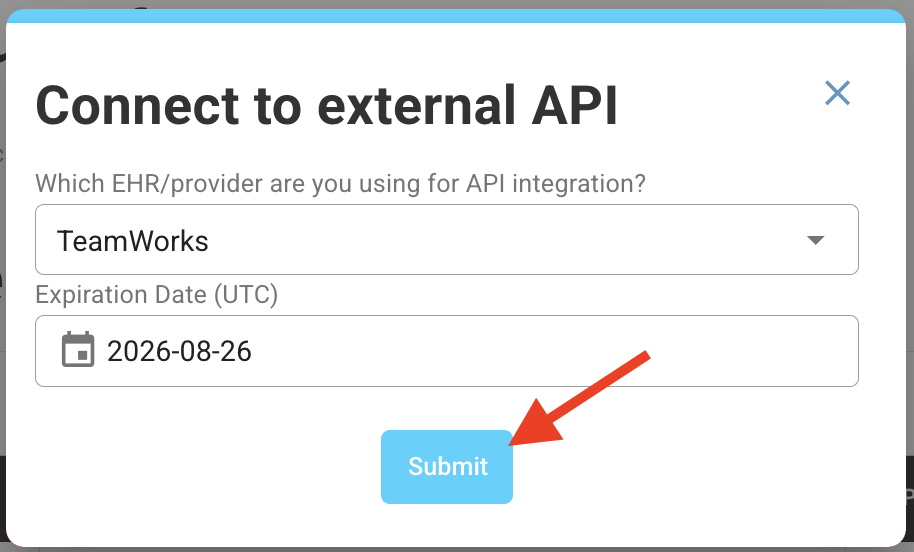
- Copy the API key that has been created and send it to your Teamworks PSM for final steps to complete the integration process.
What to Expect:
- Every time your athlete takes a test on Sway and completes it, the average scores for each module and the PDF report of the current test will be imported into AMS as an event, that can be used in custom calculations, reports, alerts, automations, and dashboards
- Expect the information to be transferred within 3-5 minutes
- If you do not see the Sway data in Teamworks, that means there is a mismatch between patient identifiers (first name, last name, DOB). Please check both systems to ensure that the identifiers match and adjust