Sway - How to Share a Profile

Written by Niki Budd
Updated at February 9th, 2026
Table of Contents
Sharing a profile allows you to securely send an athlete’s full record (demographics, baselines, assessments, events, and history) to another Sway organization so they can import the profile into their system. Once shared and imported, the athlete’s profile exists in both Sway organizations, and updates made in either system will stay in sync. This helps keep the athlete’s data intact and prevents duplicate profiles across organizations.
The athlete can belong to different groups in each organization and can be active in one organization while inactive in another.
This is helpful when an athlete from a high school is referred to a clinic and the clinic needs access to their testing history, when care is coordinated in the opposite direction, or when an organization is restructuring and needs to move profiles between accounts.
Profiles can be shared using a QR code or link from the Sway web portal or mobile app, or by generating a Clinical Report PDF.
This feature is available on the ✅ Web Portal and the ✅ Mobile Application.
Step-By-Step Tutorial: Portal
- Go to the Profiles tab under the Main Menu.

- Search for the profile you would like to share with another Sway Organization and click the profile to open the profile page.

- Click either the arrow next to the Profile Name, or the 3 dots next to the Profile name and click “Share Profile.”
|
 |
 |
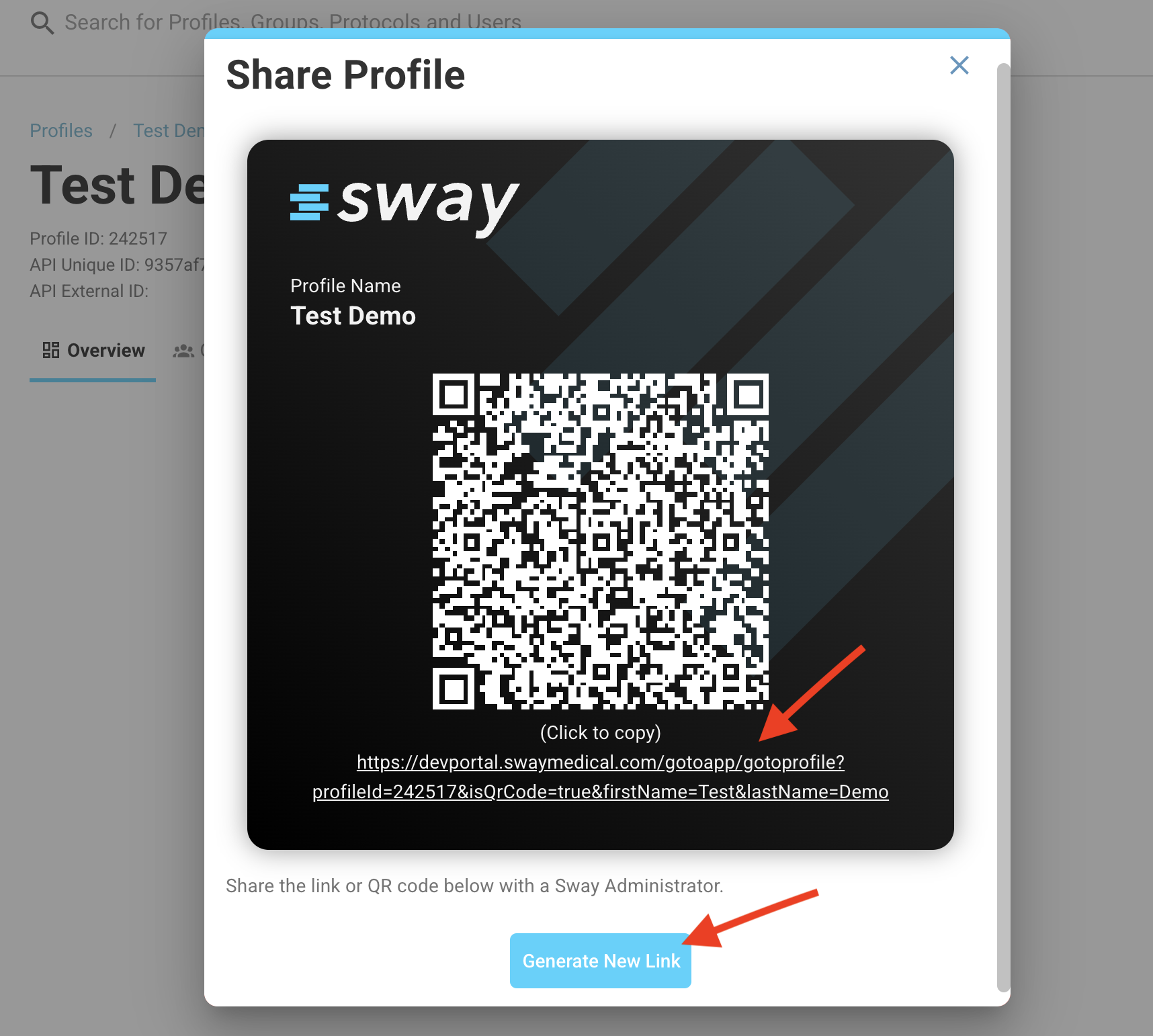
- Share the Profile with the Sway organization/healthcare provider needing access by taking a screenshot or by clicking the link below the QR Code to copy and share. The QR code can also be scanned by a mobile device to open directly in the Sway mobile app to import.
Step-By-Step Tutorial: App
- Using the search bar on the Dashboard, type in the athlete needing to be shared and click on the profile’s name to open the profile page of the specific athlete/patient.

- Click “Actions” in the top right-hand corner and “Share Profile.”

- The QR code can be scanned by another mobile device of a Sway Admin/User to open in their Sway app, or you can click "Share" to text/email the associated link for the profile directly to the provider.
